LONGSHOT MARKSMAN TARGET CAMERA
£499.00 (ex. VAT: £415.83)
LONGSHOT’ MARKSMAN
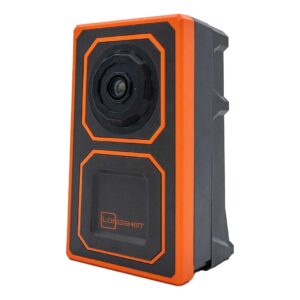
wireless, portable, and battery powered target camera systems set up adjacent to your target and 10-15 ft back; the camera can be moved within that range to adjust the field of view. Since the Longshot Marksman is positioned down range by the target, you’ll never have to worry about fighting mirage to see your shots again. With a runtime of 12+ hours, the TargetVision Marksman allows you to view the target remotely on your tablet or phone via an easy-to-use free app (track and number shot, save photos, review sessions, record video and stills). No cell or WiFi service is required. You’ll have live HD video at your fingertips, making it easy to see where your shots are hitting. Seeing your shot has never been easier.
1 in stock
LONGSHOT MARKSMAN TARGET CAMERA
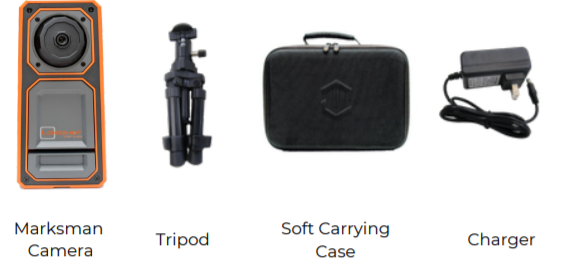
Each Marksman system comes with the following components:
FEATURES
LONGSHOT’S wireless, portable, and battery powered target camera systems set up adjacent to your target and 10-15 ft back; the camera can be moved within that range to adjust the field of view. Since the Longshot Marksman is positioned down range by the target, you’ll never have to worry about fighting mirage to see your shots again. With a runtime of 12+ hours, the TargetVision Marksman allows you to view the target remotely on your tablet or phone via an easy-to-use free app (track and number shot, save photos, review sessions, record video and stills). No cell or WiFi service is required. You’ll have live HD video at your fingertips, making it easy to see where your shots are hitting. Seeing your shot has never been easier.
- Straight Shooter 300 Yard Guarantee
- CrispEdge 2688 x 1512 Ultra HD Imagery
- All-Axis Camera Adjustment
- OverObstacle Design
- Blinker Shot Locator
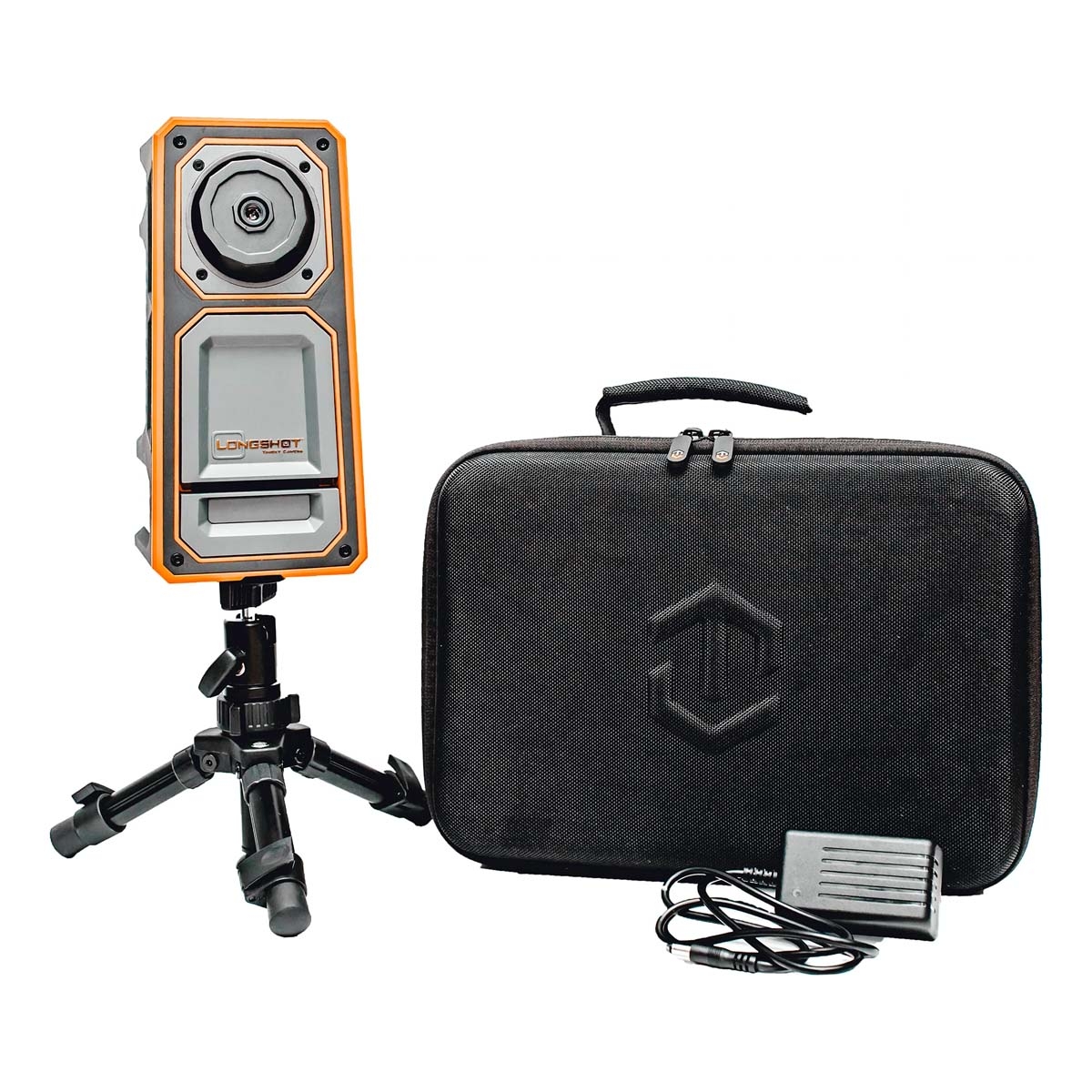
- Includes: Camera, Soft Case, 1 Tripod, Charger
INSPECTION
Please inspect your Marksman system before use to ensure that all components listed on page 2 are present. Prior to first use, you should fully charge the system
CHARGING
Use only the included charging adapter to charge the system. The included adapter is rated for power input of 100V – 240V and power output of 16.8V DC at 800mA. The adapter is intelligent and will stop charging the system once the battery is fully charged. Your Longshot system should be turned off while charging. Please allow up to 4 hours for the camera to fully charge.
| Charger LED Color | Charge Status |
| Green |
|
| Red |
|
BATTERY LEVEL INDICATOR
On the bottom of the camera system, there are 4 LED’s that indicate the battery’s charge level. Each LED represents 25% of the battery life. When the battery level becomes too low for the system to operate, the LED’s will flash and the system will turn off. You may also notice a slight delay from the time you flip the power switch until the time the lights come on, this is a result of the circuitry within the battery level indicator board and is standard operation

CAMERA SETUP
When setting the camera up down range, there are two critical steps to ensure the optimal experience
- Determine the appropriate distance from the target: The camera is designed to be in focus when set up approximately 8-16 ft. from the target. Depending on the size of your target and your desired field of view, you will need to move the camera within this range until you are satisfied with the field of view. It is recommended that you get the camera as close as possible while still maintaining a full view of the target and keeping the image in focus
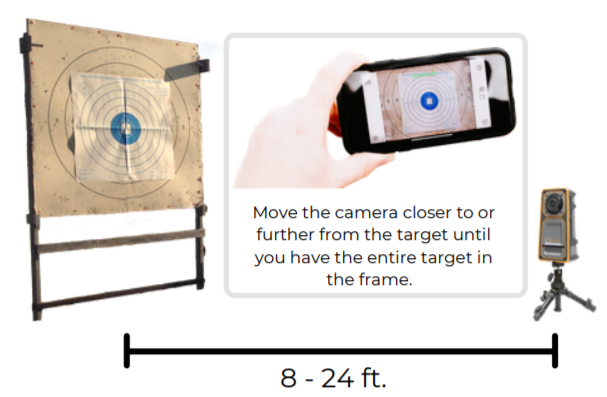
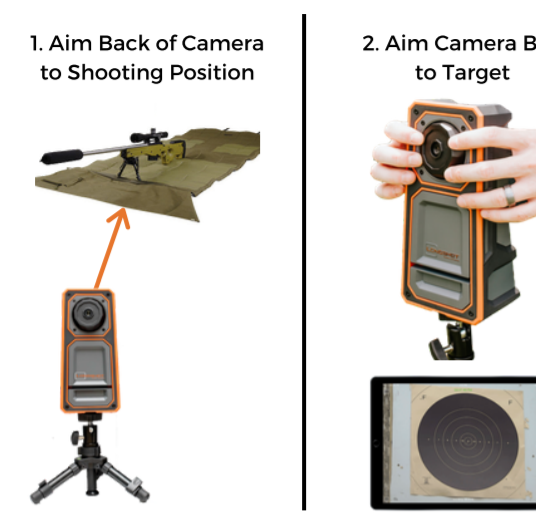
Longshot Marksman Target Cameras Instruction Manual - Aim the camera housing and ball: After determining the correct distance from the target to set the camera up, you will need to 1. aim the back of the camera housing towards your shooting position and 2. aim the camera ball to look at the target. To aim the camera housing towards your shooting position, simply stand in front of the camera and look back to your shooting position over the top of the camera. The alignment does not have to be exact but you want to be sure the camera is pointed back in the general direction of your shooting position and that the housing is not pointed towards the ground. After aiming the housing, use the live video feed from the app to aim the camera ball and get the desired view of your target.
Longshot Marksman Target Cameras Instruction Manual
CONNECTION
Before connecting to your camera, it is recommended to download the TARGETVISION application from your device’s app store. Connecting to your HAWK is as simple as connecting to a WiFi network. Simply turn the camera on, go into the WiFi settings of your device, locate and connect to the camera’s network:
- SSID: MARKS-3XXXXX
- Password: longshot
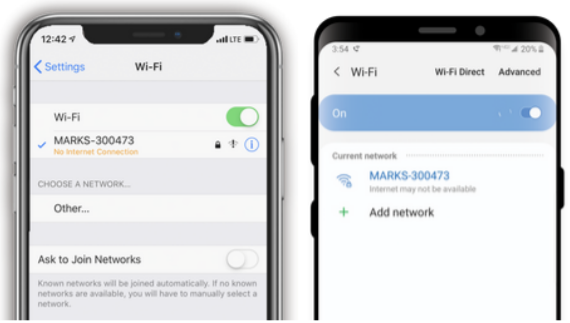
Once you have established a connection, open the TARGETVISION application on your device and use the live video feed to adjust the position and focus of your spotting scope.
Please note: Once connected to the WiFi network
- Apple devices may warn that there is “no internet connection” available
- Android devices may warn that “internet may not be available”
This is normal and nothing to be concerned about. There is not internet available when you are connected to your camera’s network. Please proceed by opening the Targetvision app and you should see a camera feed.
DOWNLOAD
The TARGETVISION app is a free app that is only available for iOS and Android devices. To download the app, please navigate to your device’s app store (the App Store for iOS and the Play Store for Android), search for TARGETVISION (all one word), and choose install. Once the app has been installed, you will need to connect to your HAWK’s WiFi network to see the video feed.